Table of content

This Binary to Octal Converter quickly converts binary numbers into octal format. Enter any base-2 number and the tool returns the correct base-8 value instantly. It’s useful for programming, digital electronics, and number system conversions where binary values must be expressed in octal form.
Converting a binary number into octal takes only a few seconds with this tool. Instead of manually grouping binary digits and translating them into base-8 values, the converter processes the number automatically and displays the correct octal result.
Follow these simple steps to perform the conversion:
Enter the binary number in the input field
Click the Convert button
The tool automatically groups the binary digits into sets of three
The octal equivalent appears instantly in the result box
Copy or use the converted value wherever needed
The converter handles the grouping and calculation internally, so you don’t need to worry about mistakes that often happen when converting long binary numbers manually. It’s a quick way to move between base-2 and base-8 values when working with programming, digital electronics, or number system exercises.
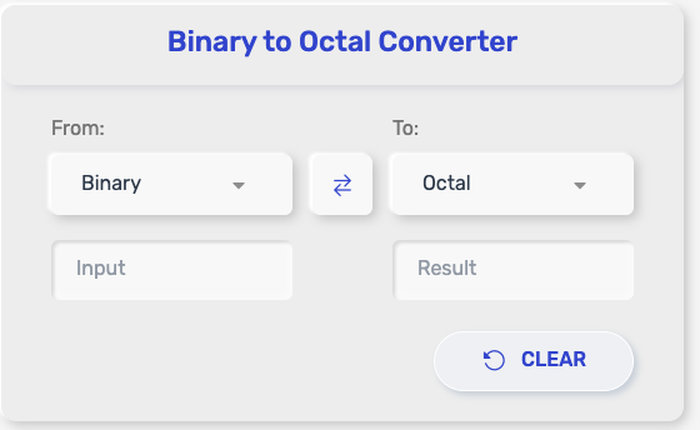
This Binary to Octal Converter turns any valid base-2 number into its matching base-8 value, instantly. It’s built for quick conversions, whether you’re working with short binary inputs or long bit strings.
Here’s what it can handle:
Binary integers (0s and 1s only), from simple values like 101 to long sequences like 110010101011
Long binary strings used in programming, debugging, or data representation
Binary values with leading zeros (for example 0001011) while keeping the conversion correct
Binary grouped or ungrouped input (you can paste a continuous binary number, and the tool will still convert it)
Classwork-style conversions where you need the exact octal result for homework, quizzes, or practice problems
Digital electronics and computer architecture use cases, where binary bit patterns are commonly rewritten in octal for readability
The output is always a clean octal number using digits 0–7, representing the exact same value as your binary input—just in a shorter, more compact form.
Binary numbers appear everywhere in computing, but long sequences of 0s and 1s can quickly become difficult to read. Octal representation shortens those sequences, making them easier to work with in many technical situations.
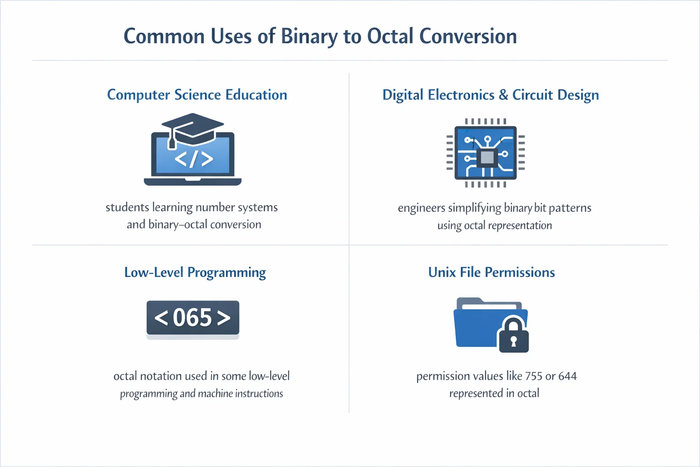
Here are some common cases where binary to octal conversion is used.
Computer science and programming courses
Students frequently convert binary numbers to octal when studying number systems. It is a common exercise in computer science classes because octal groups align naturally with binary bits.
Digital electronics and circuit design
Engineers often work with binary signals and bit patterns. Writing these patterns in octal form reduces the number of digits, which makes system diagrams and documentation easier to read.
Low-level programming and machine instructions
Some early computer systems and assembly environments used octal notation for memory addresses and machine instructions. Even today, octal still appears in certain low-level programming contexts.
Operating system file permissions
In many Unix-like systems, file permissions are written using octal values such as 755 or 644. These values correspond directly to groups of binary permission bits.
Debugging binary data
When analyzing binary data during debugging or system analysis, developers sometimes convert binary values into octal to quickly interpret bit groups.
Learning number system relationships
Binary to octal conversion is also used when teaching how number bases relate to each other. Since one octal digit represents exactly three binary bits, it provides a clear example of how base systems connect.
These situations show why binary to octal conversion remains a useful concept in computing, electronics, and technical education.
Binary to octal conversion follows a simple rule based on how the two number systems relate to each other.
Since octal is base 8 and binary is base 2, the connection comes from the relationship:
8 = 2³
This means three binary digits represent one octal digit. Because of this, the conversion method works by grouping binary digits into sets of three.
Start from the rightmost binary digit
Group the digits into sets of three
If the leftmost group has fewer than three digits, add leading zeros
Convert each group into its corresponding octal value
Combine the octal digits to form the final result
Binary number: 1011101
Group digits into sets of three:
001 011 101
Convert each group:
|
Binary Group |
Octal Digit |
|
001 |
1 |
|
011 |
3 |
|
101 |
5 |
Final octal result: 135
This works because every group of three binary digits represents a value from 0 to 7, which matches exactly with the digits used in the octal number system.
Although the method is straightforward, using a Binary to Octal Converter allows the result to appear instantly without manually grouping and converting each binary segment.
When working with binary numbers, it’s often useful to know the basic patterns that convert directly into octal digits. Since one octal digit represents three binary bits, small binary groups always translate to the same octal values.
The table below shows the most common binary groups and their octal equivalents.
|
Binary |
Octal |
|
000 |
0 |
|
001 |
1 |
|
010 |
2 |
|
011 |
3 |
|
100 |
4 |
|
101 |
5 |
|
110 |
6 |
|
111 |
7 |
This reference works because every three-digit binary group represents a value between 0 and 7, which matches the digit range used in the octal number system.
For example:
Binary number 101110
Group into sets of three: 101 110
Using the table:
101 → 5
110 → 6
Final octal result: 56
This quick lookup can make manual conversions faster, especially when solving number system exercises or checking binary calculations without using a converter.
The Open Group (POSIX.1-2017) – chmod: Change File Modes (octal permission notation in Unix/POSIX)
https://pubs.opengroup.org/onlinepubs/9699919799/utilities/chmod.html
GNU Coreutils Manual – chmod invocation (numeric/octal modes and how they map to permission bits)
https://www.gnu.org/software/coreutils/manual/html_node/chmod-invocation.html
IBM Documentation – chmod command (octal permissions and file modes)
https://www.ibm.com/docs/en/aix/7.2?topic=c-chmod-command
Patterson, D. A., & Hennessy, J. L. – Computer Organization and Design (number systems: binary, octal, hexadecimal)
https://www.elsevier.com/books/computer-organization-and-design/patterson/978-0-12-820331-6
Mano, M. M., & Ciletti, M. D. – Digital Design (binary and octal representations in digital logic)
https://www.pearson.com/en-us/subject-catalog/p/digital-design/P200000003197/9780134549897
Yes. It follows the standard base conversion rule where binary digits are grouped into sets of three, then translated into octal digits.
Because 8 = 2³. One octal digit equals exactly three binary bits, so grouping binary digits into threes matches octal perfectly.
Yes. It works for short and long binary strings, which is useful for programming tasks, debugging, or computer architecture exercises.
The converter adds leading zeros to the left side when needed, so the binary digits can be grouped into complete sets of three without changing the value.
In most cases, you should enter binary as a continuous string (like 101010111). If the tool supports spaces, it will ignore them automatically. If not, just remove spaces and try again.
Some converters do, but many treat input as unsigned binary. If you’re working with signed binary (like two’s complement), convert carefully based on how the number is represented in your system.
Octal groups binary in sets of 3 bits, while hexadecimal groups binary in sets of 4 bits. Hex is more common in modern programming, but octal still appears in areas like Unix-style permissions.
No. Leading zeros don’t change the value. For example, 001011 and 1011 represent the same number, and both convert to the same octal result.
Binarytooctal.com is a simple online tool built to help users convert binary numbers to octal quickly and accurately. It is designed for students, developers, engineers, and anyone who needs an easy way to work with number system conversions without dealing with a complicated interface.
Our goal is to provide a fast, reliable, and user-friendly calculator that makes binary to octal conversion easy to understand and accessible on any device. Whether for learning, coding, or technical work, Binarytooctal.com offers a practical solution for instant results.
This tool was created and is maintained by a dedicated team of contributors focused on building useful online calculators that are simple, efficient, and easy to use.
We are committed to providing simple, reliable, and accessible online tools while maintaining transparency and respecting user privacy.
binarytooctal.com does not require user registration or personal information. Any numbers you enter are processed only to perform the conversion and are not stored, tracked, or shared.
This tool is designed using standard number system conversion principles commonly used in computer science and digital electronics. While we strive to ensure accurate results, the converter is provided for educational and general use purposes. Users should verify results when using them in critical applications.
By using this tool, you agree to use it for lawful and appropriate purposes. The creators of this tool are not responsible for any decisions, implementations, or outcomes resulting from the use of the generated conversions.
We may update this policy from time to time to improve transparency and maintain the quality of our services. Any updates will be reflected on this page.